Lightning Experience comes up with many powerful features, but As an admin, It is our job to explore those features and let our business knows about them.
In this blog, We will learn about those features and will see the power of Lightning Experience.
Our main focus will be on Lightning App Builder and the standard component available to use. There are various use cases where you don’t need to write a single line of code and you can just do the things by clicks. Let’s go into deep.
If you are a beginner in Lightning Experience, First you should know:-
- What is Lightning App Builder?
- What are the different kind of pages you have in Lightning?
- What is the difference in Lightning page and Classic Page ?
- How to open Lightning App Builder?
Let’s go through each of them.
Lightning App Builder
- The Lightning App Builder is a point-and-click tool that makes it easy to create custom pages for the Salesforce mobile app and Lightning Experience, giving your users what they need all in one place.
- The Lightning App Builder is also a one-stop shop for configuring Lightning apps.
- You can update the app’s branding, navigation, options, and manage the Lightning pages assigned to that app all in the Lightning App Builder.
- You can access it from both classic and Lightning Experience
- It is available for available under Group, Professional, Enterprise, Performance, Unlimited, and Developer Editions
- The Lightning App Builder supports the same browsers as Lightning Experience
- It is not supported on mobile browsers.
- The minimum recommended resolution for the Lightning App Builder is 1280×1024.
- Only admins with “View Setup and Configuration” permission can access it
Different kind of pages in Lightning
We have mainly three kind of pages in Lightning leaving community pages for now in Lightning App Experience.
- Home Page
- Record Page
- App Page
Note:- We have different Home, Record page in Lightning experience rather than it appears in Classic.
Home Page in Lightning Experience


Record Page in Lightning Experience


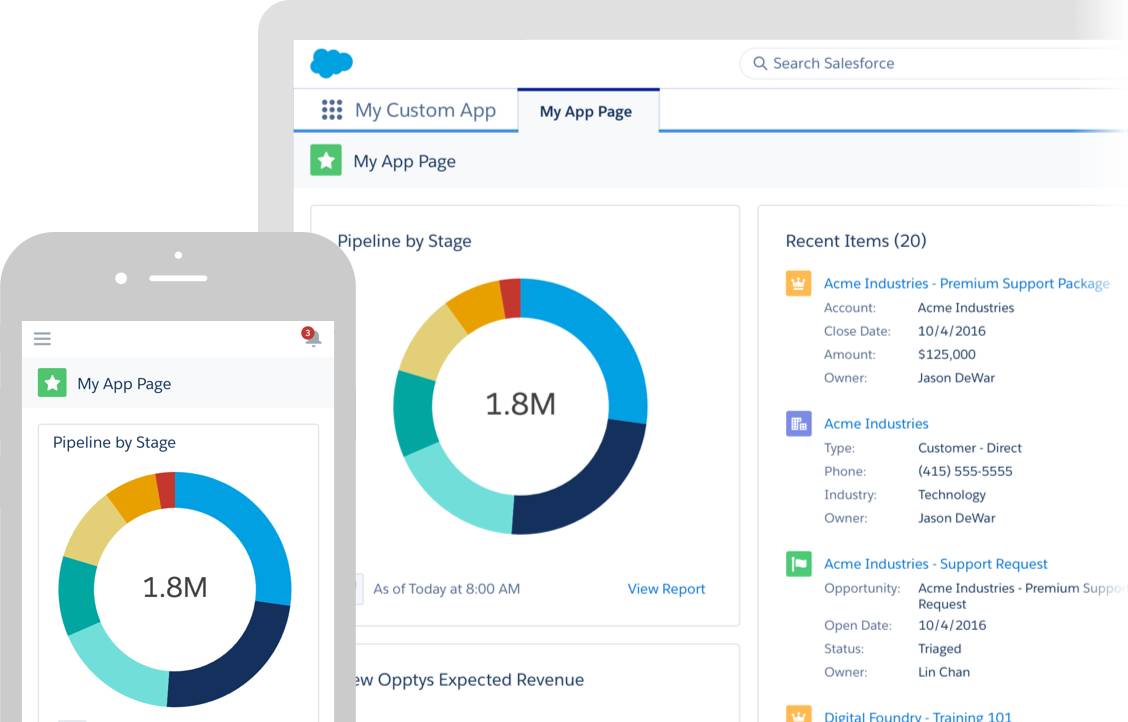
App Page in Lightning Experience and Mobile App
Did you noticed the difference when you see it and compared it with Classic Interface? These pages are component based with more flexibility to control the visibility.
When you customize your page layouts in Salesforce Classic, those changes can affect the content of object record pages in Lightning Experience. However, in Lightning Experience, the page elements display differently, and some aren’t supported.
Difference in Lightning page and Classic Page
- Lightning page layouts are specific to Lightning Experience, while standard page layouts are more “classic” oriented, however, will display in LEX.
- Here’s a sample contact record in Lightning Experience. The highlights panel contains key record fields, and is the only part of a record page that you can’t customize using the page layout editor. The fields in the highlights panel are customized using a compact layout.


- These page layout elements are supported in Lightning Experience:-
- Actions :- Actions display in different places, such as the highlights panel, Activity tab, and the Chatter tab. The actions are derived from the list of actions in the Salesforce Mobile and Lightning Experience Actions section of the page layout. Some actions aren’t supported in Lightning Experience.
- Blank Spaces :- They are supported in Lightning.
- Canvas Apps :- Canvas apps are supported in Lightning Experience.
- Fields :- Fields display under the Details tab. You can remove or reorder fields on a page layout only via the page layout editor.
- You will find that Lightning page layouts do not support the same elements as the ones in classic page layouts, for example:
- Expanded lookups
- Mobile cards
- S-controls
- Tags
- Related List :- Related lists are included as Lightning components in Lightning Experience. Not all related lists are supported in Lightning Experience.
- Report charts and section are also available in Lightning page
- Standard and Custom button :- Standard and custom buttons are treated as actions in Lightning Experience, just like in the Salesforce app.
- Visualforce Pages :- Visualforce pages that you’ve added to the page layout appear under the Details tab. Only Visualforce pages with Available for Lightning Experience, Lightning Communities, and the mobile app enabled display in Lightning Experience on Lightning pages, utility bars, and the Salesforce app. Visualforce pages that have been put into the Mobile Cards section as components don’t appear in Lightning Experience.
Open Lightning App Builder
- From Setup, enter App Builder in the Quick Find box, then select Lightning App Builder.
- Click New, and select Page type you want to create.


Note:- To edit and existing page, click on edit in action column.
In the next blog, We will go through the standard component and various use cases.